

Prerequisites
You must have Blackboard administrative access with the ability to manage LTI Tool Providers via the Administrator Tools panel.Step 1: Register StudyStash as an External Tool in Blackboard
- From the main menu, click Admin to open the Administrator Tools
- In the Integrations panel, click LTI Tool Providers
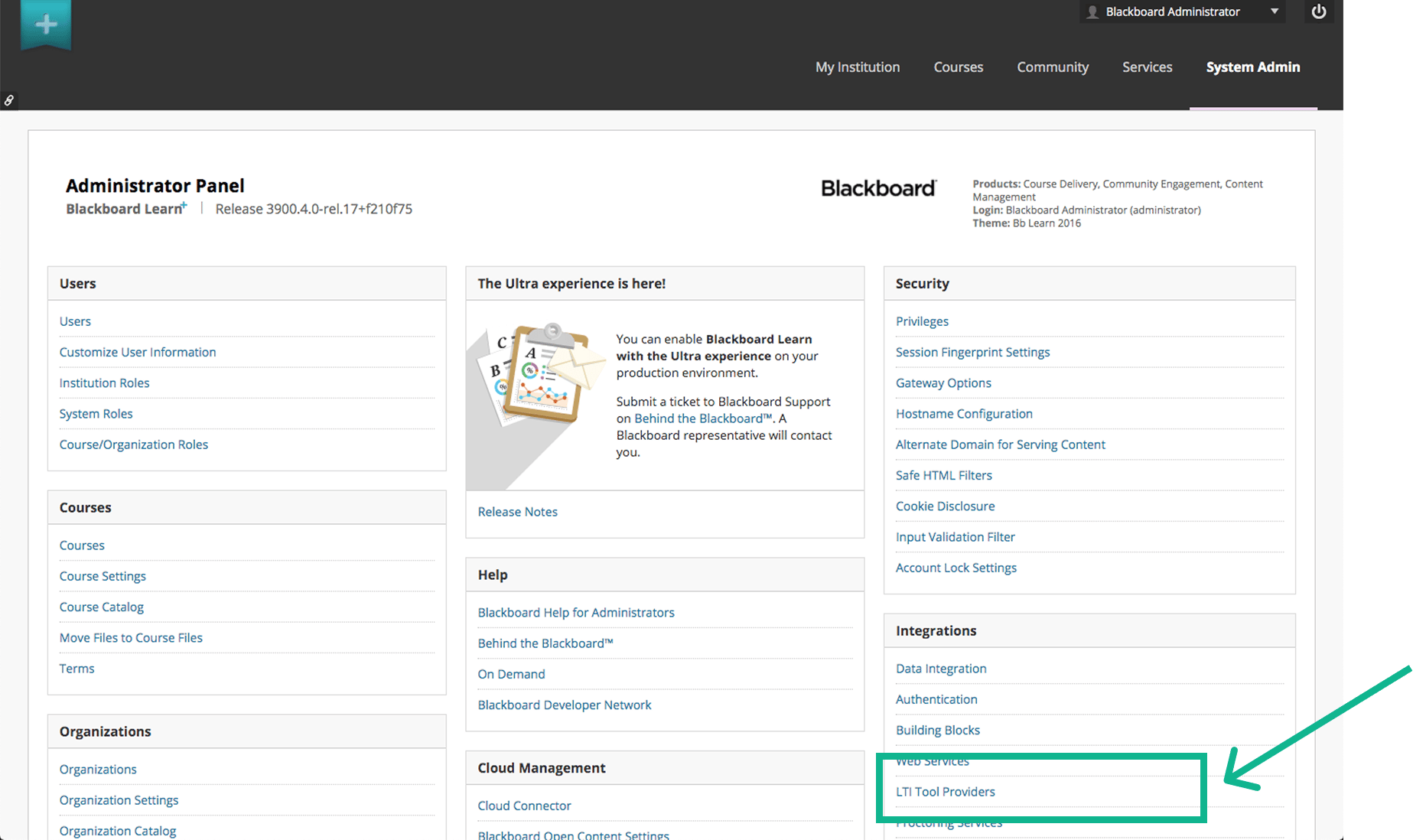
Figure 1. Blackboard LTI set-up: LTI Tool Providers
- Click Register LTI 1.3 / Advantage Tool
- Enter the full StudyStash Client ID below and click Submit:
04fac04f-38fa-4c8d-a7f5-7381b045d3ac
- Check that the application name is StudyStash. Apply the settings in Step 2, then click Submit to save the registration.
- Copy the Deployment ID provided by Blackboard. You will need it for the form in Step 3.
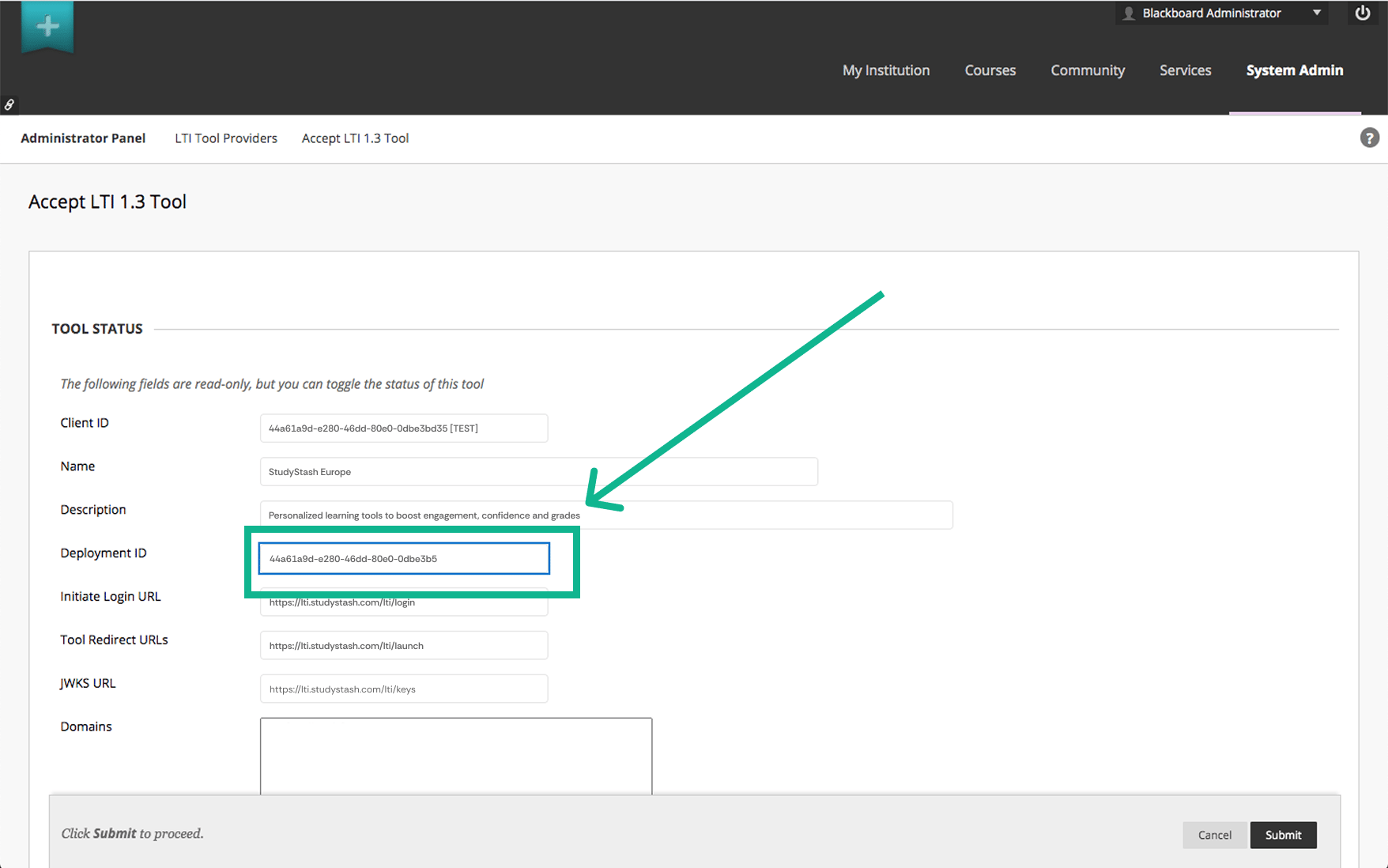
Figure 2. Blackboard LTI set-up: Copy Deployment ID for later
Step 2: Verify Set-up Details
Verify the following fields are configured correctly:Field | Value |
|---|---|
Tool Status | Approved (✅) |
User Fields to Send | Role in Course (✅) Name (✅) Email Address (✅) |
Allow Grade Service Access | No |
Allow Membership Service Access | Yes |
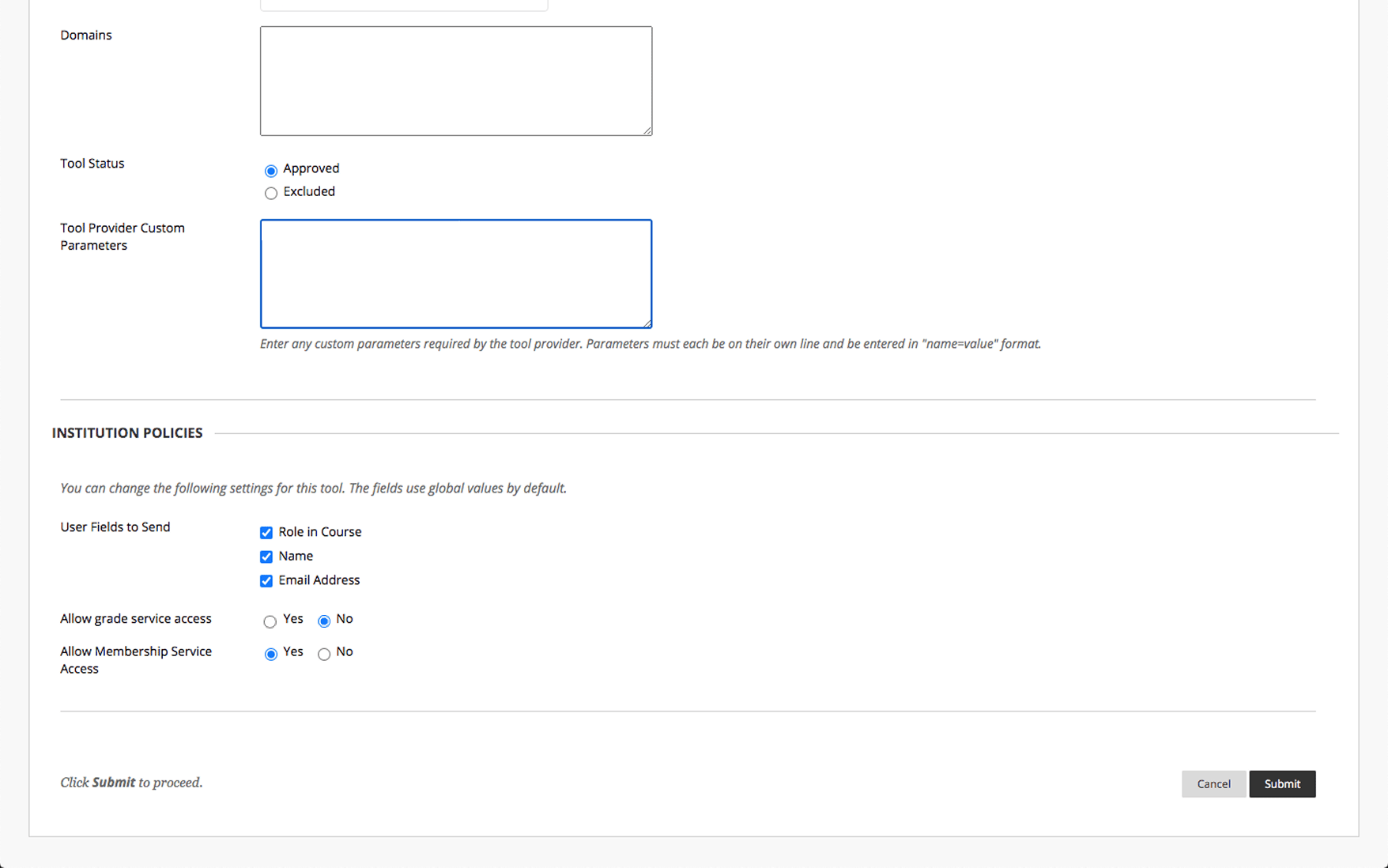
Figure 3. Blackboard LTI set-up: Verify fields
Step 3: Provide Deployment Details to StudyStash
After registering StudyStash in Blackboard, submit the details below so we can enable your institution’s LTI integration. Blackboard provides the Deployment ID during registration, so complete Step 1 before submitting this form. Wait for StudyStash to confirm activation, then test a launch before making the tool available to end-users.Field |
|---|
Client ID |
Deployment URL |
Deployment ID |