

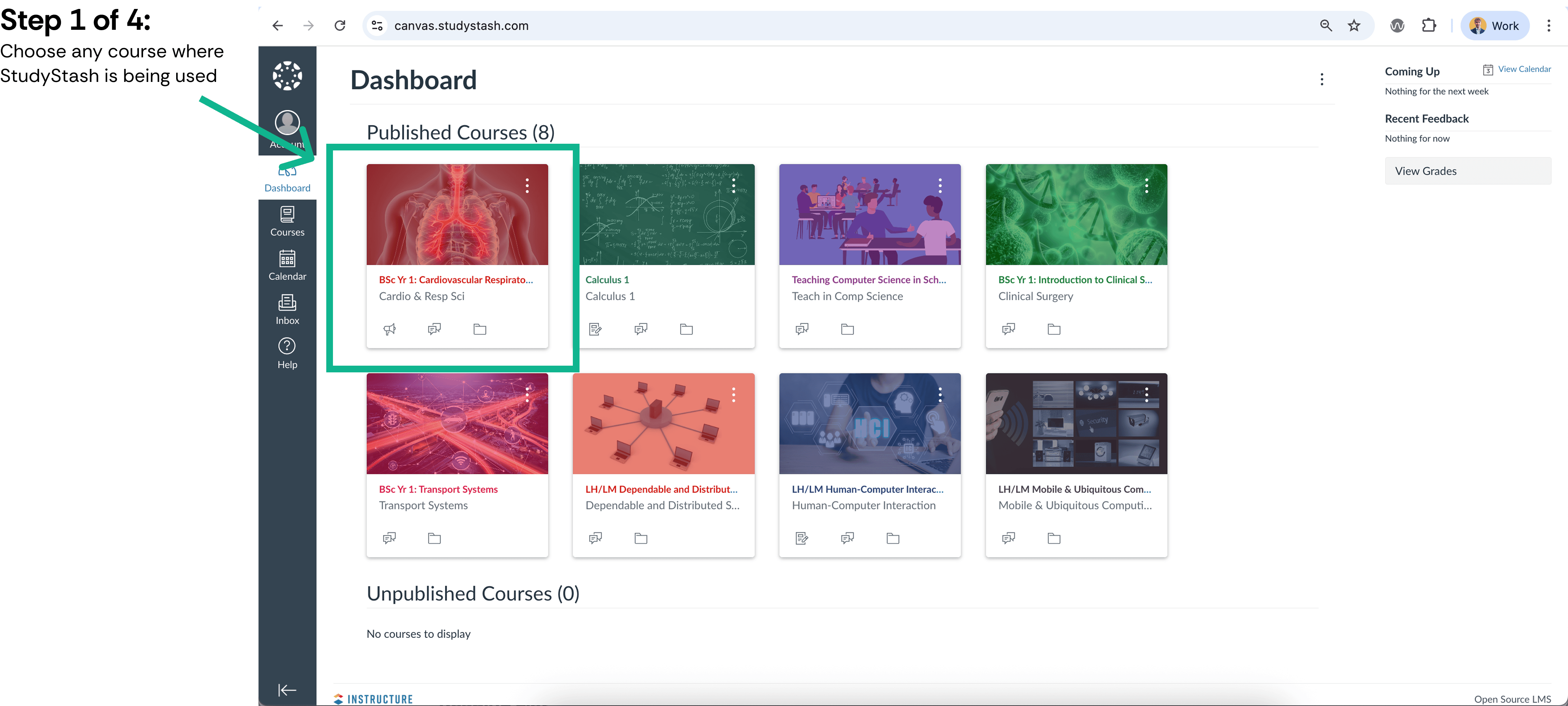
Exporting student roster data from Canvas course (CSV) — screenshot 1

Figure 1. Exporting student roster data from Canvas course (CSV) — screenshot 1
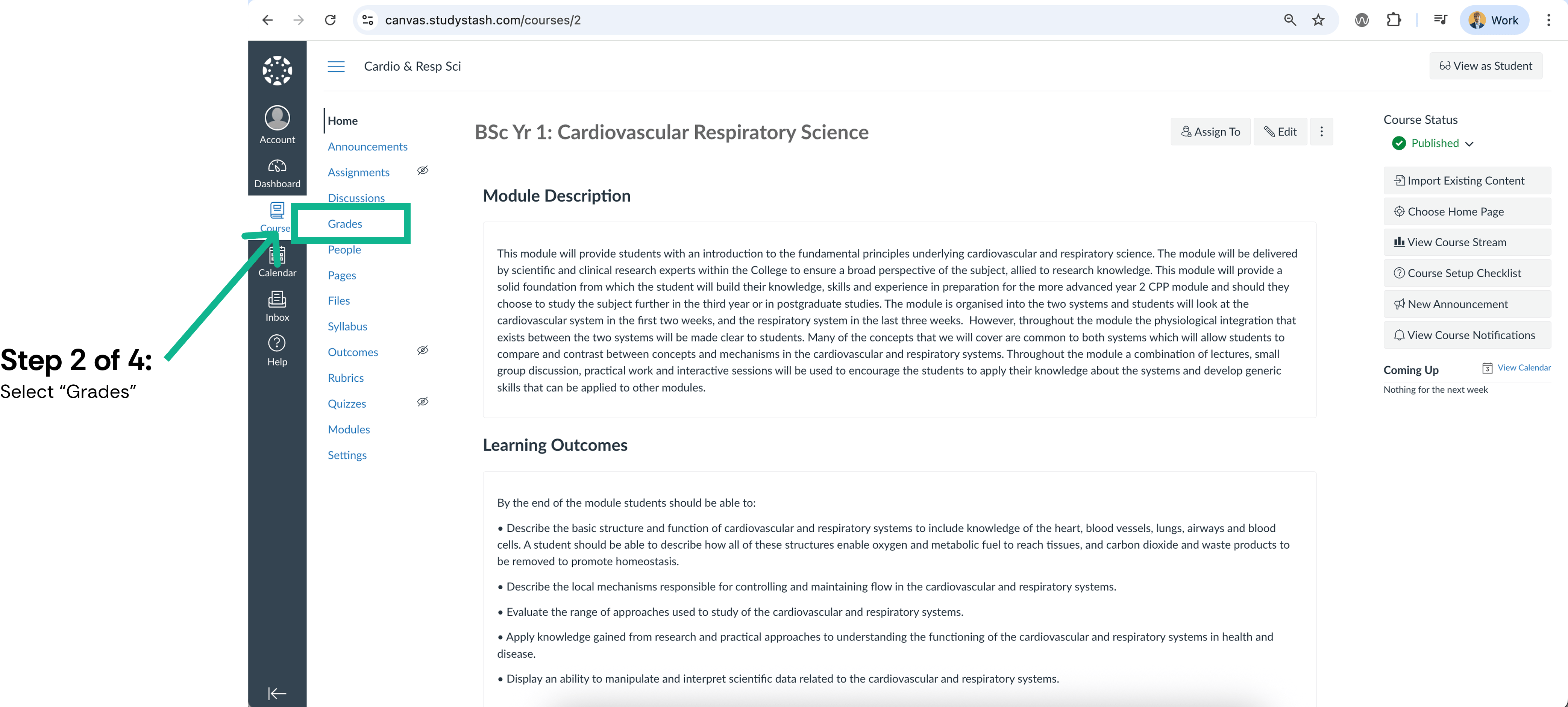
Exporting student roster data from Canvas course (CSV) — screenshot 2
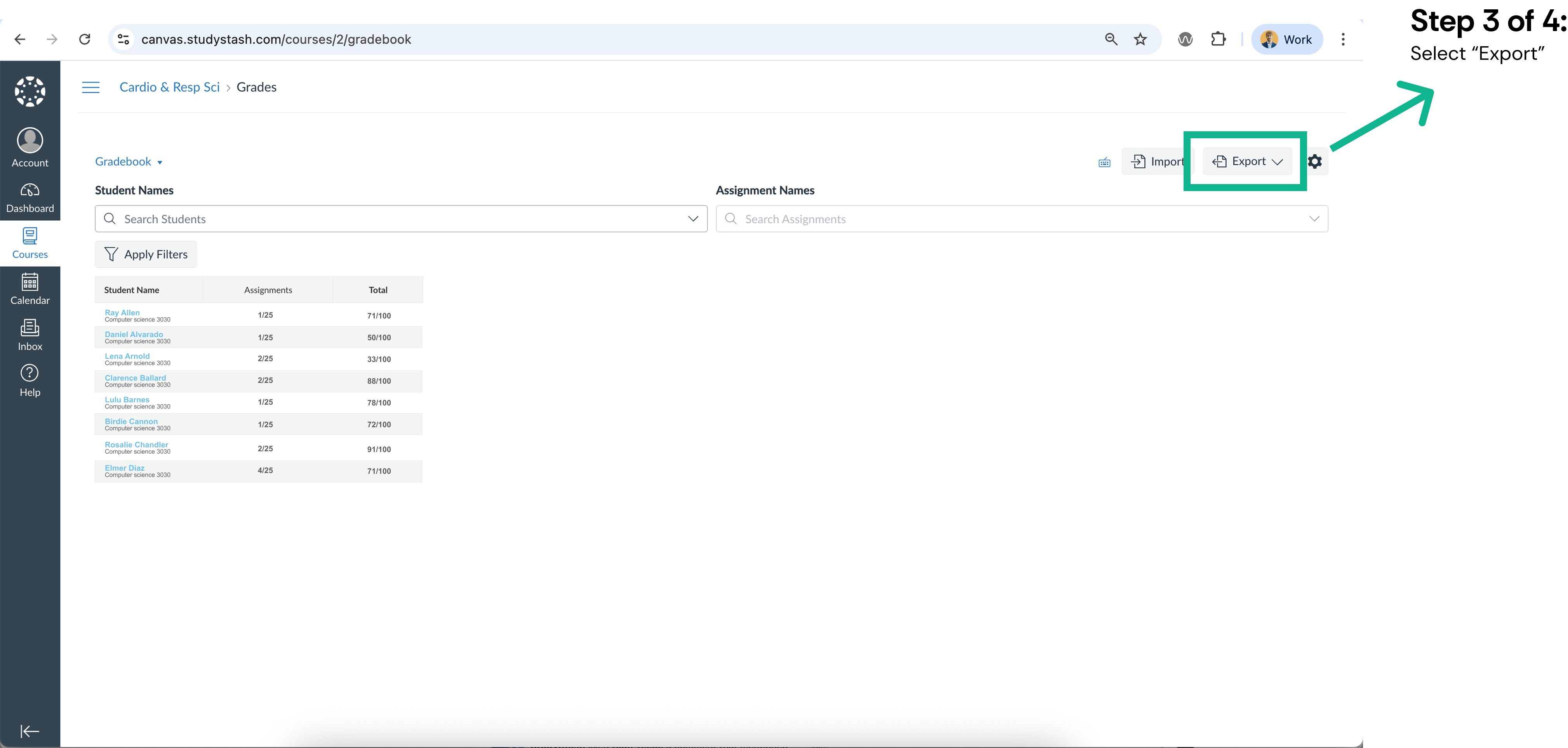
Figure 2. Exporting student roster data from Canvas course (CSV) — screenshot 2

Exporting student roster data from Canvas course (CSV) — screenshot 3
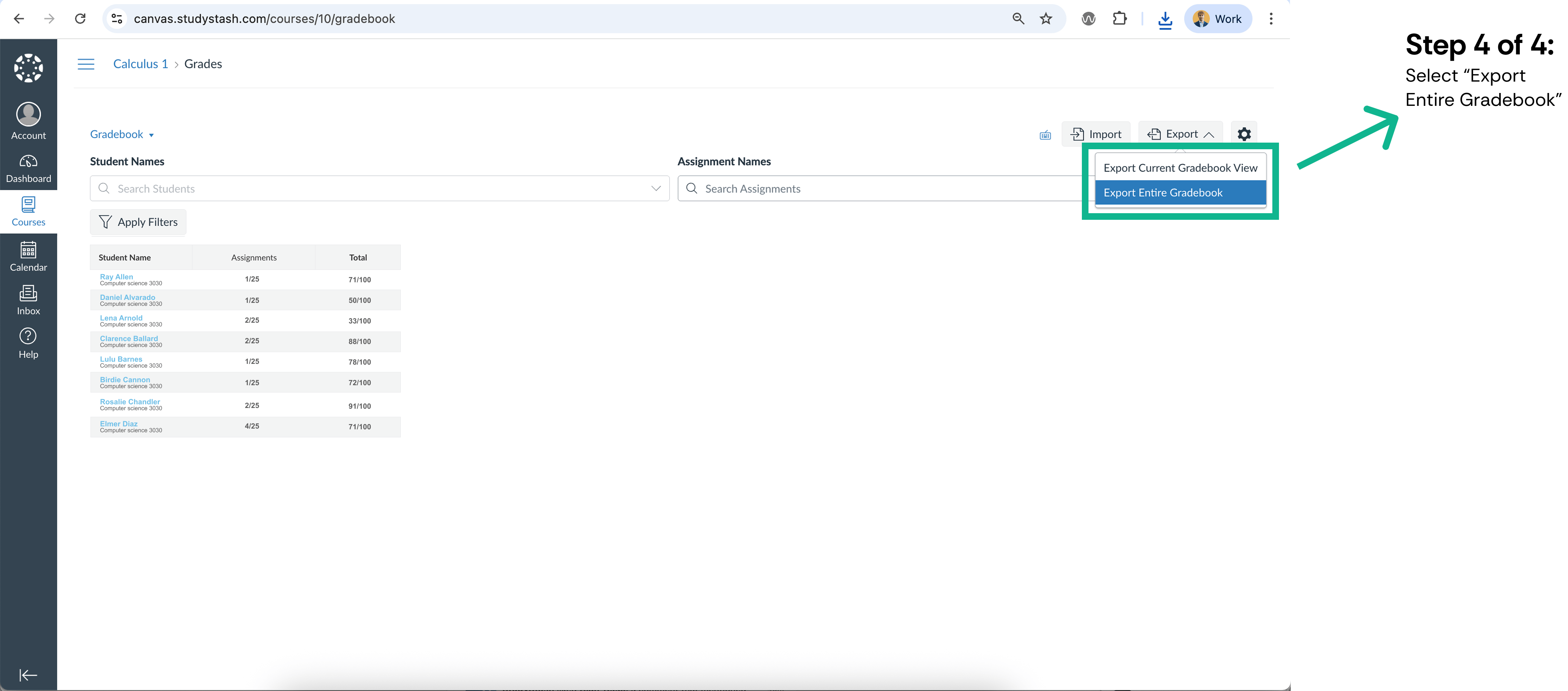
Figure 3. Exporting student roster data from Canvas course (CSV) — screenshot 3

Exporting student roster data from Canvas course (CSV) — screenshot 4
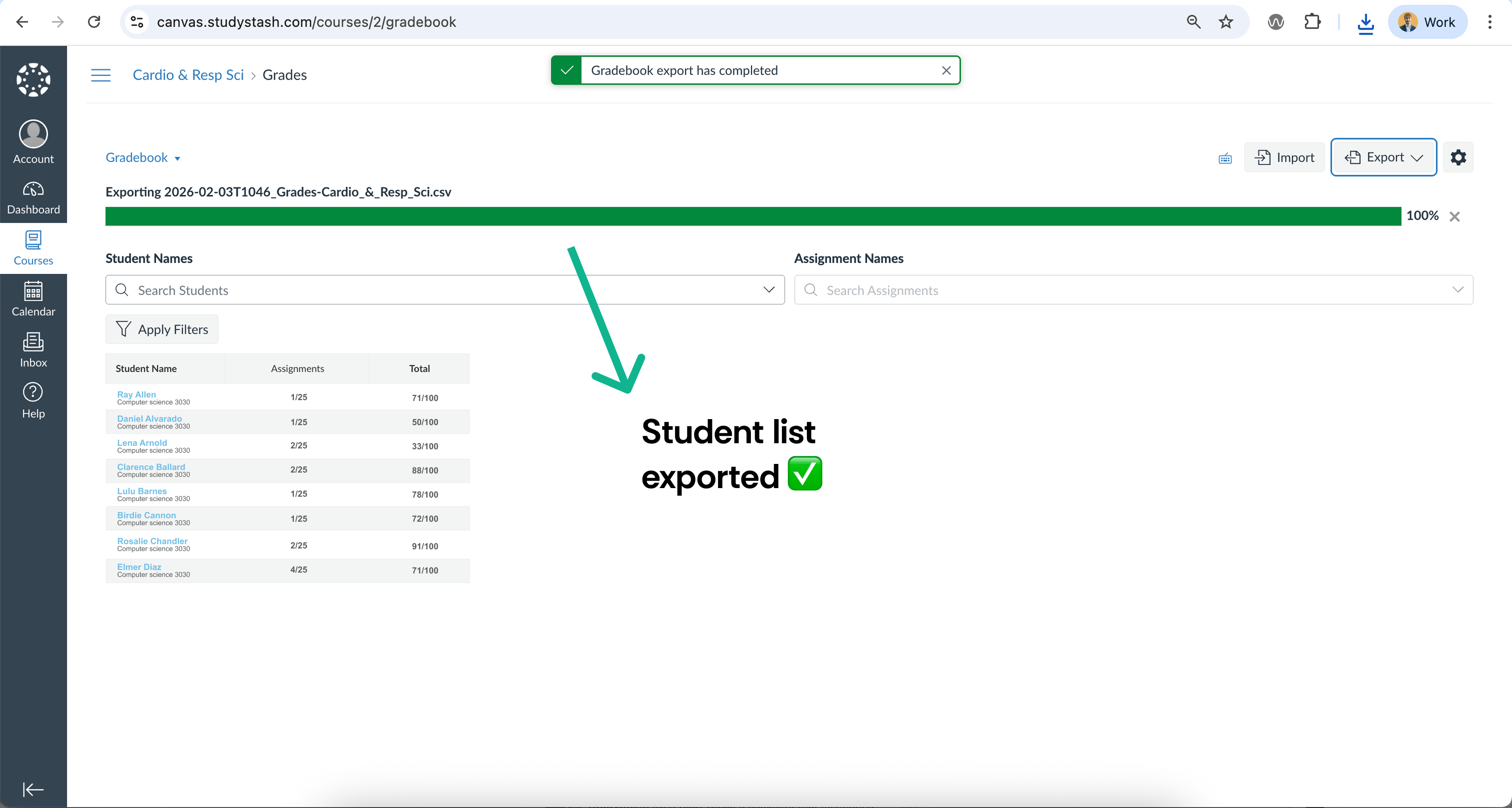
Figure 4. Exporting student roster data from Canvas course (CSV) — screenshot 4

Exporting student roster data from Canvas course (CSV) — screenshot 5

Figure 5. Exporting student roster data from Canvas course (CSV) — screenshot 5

Caution: You may not have permission to download this data. If so, a Canvas administrator will need to complete this step.The export may include additional fields by default. We recommend removing all data except student names and email addresses. Any other information will be securely discarded in accordance with our Data Processing Agreement and GDPR.