> ## Documentation Index
> Fetch the complete documentation index at: https://help2.studystash.com/llms.txt
> Use this file to discover all available pages before exploring further.

# How do I share resources with my friends?

> Select any set of Notes, Flashcards or Tests and share them with your friends to study together!

## Step 1 of 2: Select any folder / file and select “Share”
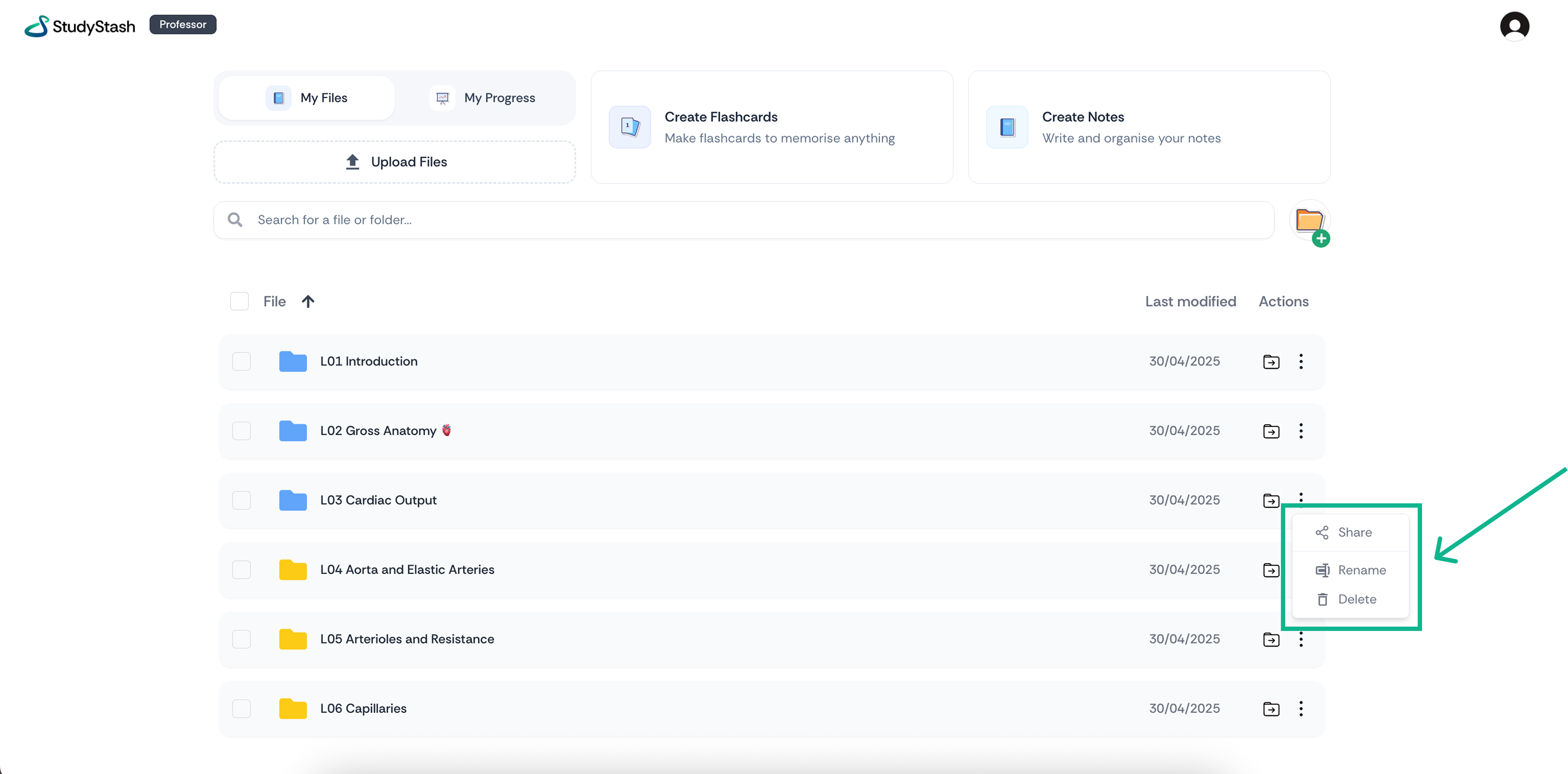
<Frame className="ss-screenshot" caption={"**Figure 1.** How do I share resources with my friends? — screenshot 1"}>
  <img loading="lazy" src="https://mintcdn.com/studystash-help/UbXlxW0z5agaJ_Cy/assets/86081609/86081620-share.png?fit=max&auto=format&n=UbXlxW0z5agaJ_Cy&q=85&s=220ed7a47fd960d2e8ec77cabd105177" alt="How do I share resources with my friends? — screenshot 1" width="6510" height="3214" data-path="assets/86081609/86081620-share.png" />
</Frame>

## Step 2 of 2: Enter your friends university email address
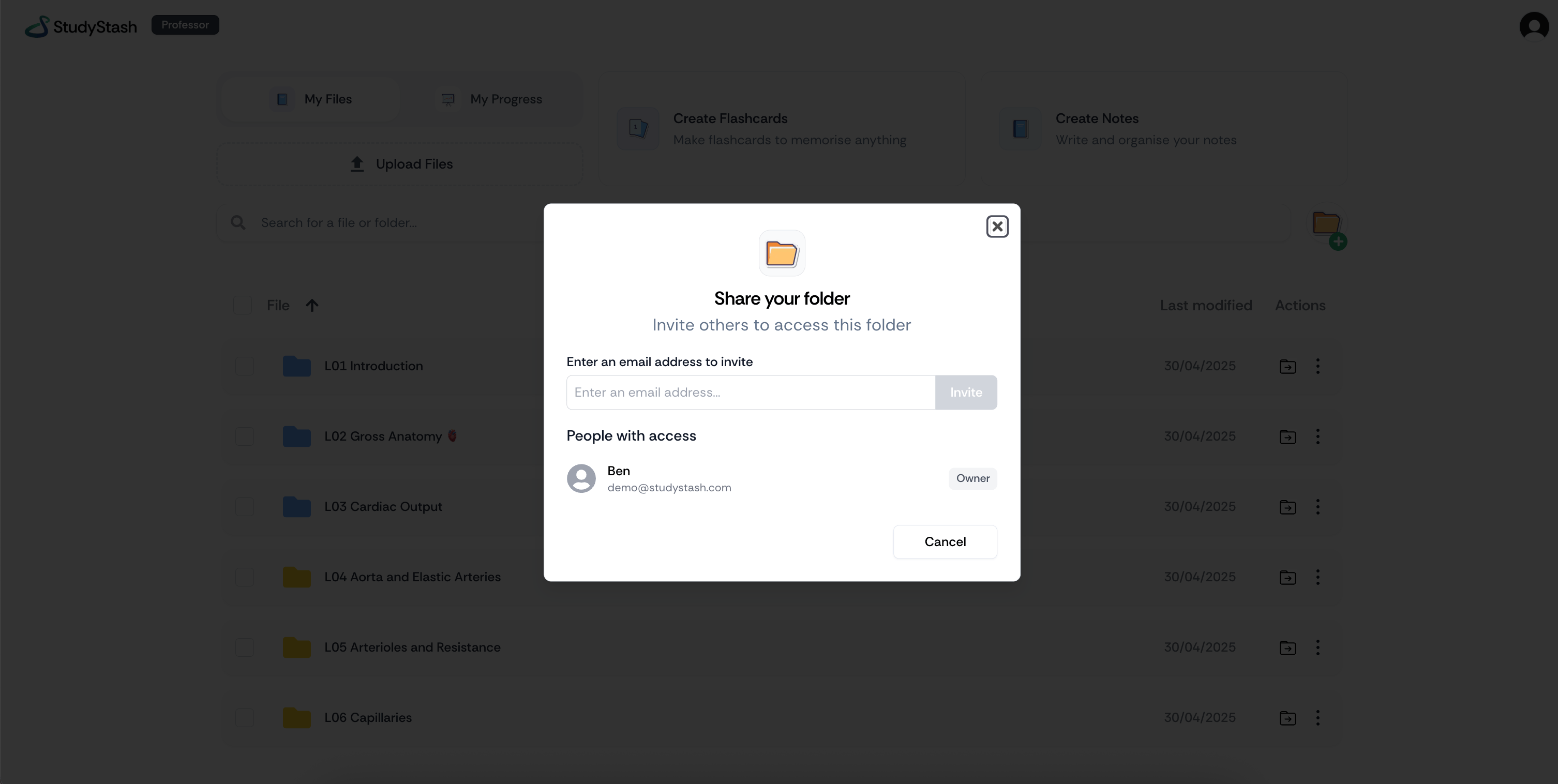
<Frame className="ss-screenshot" caption={"**Figure 2.** How do I share resources with my friends? — screenshot"}>
  <img loading="lazy" src="https://mintcdn.com/studystash-help/UbXlxW0z5agaJ_Cy/assets/86081609/85917817-image-20260202-224701.png?fit=max&auto=format&n=UbXlxW0z5agaJ_Cy&q=85&s=2c787e3064f86fc09ee3f69908f71328" alt="How do I share resources with my friends? — screenshot" width="3012" height="1516" data-path="assets/86081609/85917817-image-20260202-224701.png" />
</Frame>


This documentation is built and hosted on [Mintlify](https://mintlify.com), a developer documentation platform.