> ## Documentation Index
> Fetch the complete documentation index at: https://help2.studystash.com/llms.txt
> Use this file to discover all available pages before exploring further.

# Can I download content when my course ends?

> when you graduate, your StudyStash account will deactivate and you will no longer be able to access any of your study notes or downloaded course materials.

At any point before your account is deactivated, and for 90 days afterwards, you can request to download your content and we will provide an export.

## At a glance

<table>
  <tbody>
    <tr>
      <th>
        <p><strong>What happens</strong></p>
      </th>

      <th>
        <p><strong>Your account</strong></p>
      </th>

      <th>
        <p><strong>Your study materials</strong></p>
      </th>

      <th>
        <p><strong>Can you request an export?</strong></p>
      </th>
    </tr>

    <tr>
      <td>
        <p>While on your course</p>
      </td>

      <td>
        <p>Stay active</p>
      </td>

      <td>
        <p>Remain on your account</p>
      </td>

      <td>
        <p>Yes, but content downloadable</p>
      </td>
    </tr>

    <tr>
      <td>
        <p>A course/module ends</p>
      </td>

      <td>
        <p>Stays active</p>
      </td>

      <td>
        <p>Remain on your account</p>
      </td>

      <td>
        <p>Yes</p>
      </td>
    </tr>

    <tr>
      <td>
        <p>A term/semester ends</p>
      </td>

      <td>
        <p>Stays active</p>
      </td>

      <td>
        <p>Remain on your account</p>
      </td>

      <td>
        <p>Yes</p>
      </td>
    </tr>

    <tr>
      <td>
        <p>You move to a new year of study</p>
      </td>

      <td>
        <p>Stays active</p>
      </td>

      <td>
        <p>Remain on your account</p>
      </td>

      <td>
        <p>Yes</p>
      </td>
    </tr>

    <tr>
      <td>
        <p>On graduate or leave your institution. Up to 90 days post.</p>
      </td>

      <td>
        <p>Deactivated then deleted</p>
      </td>

      <td>
        <p>No longer accessible through StudyStash</p>
      </td>

      <td>
        <p>Yes, up to 90 days after deactivation</p>
      </td>
    </tr>
  </tbody>
</table>

## When your course / module / semester / year ends

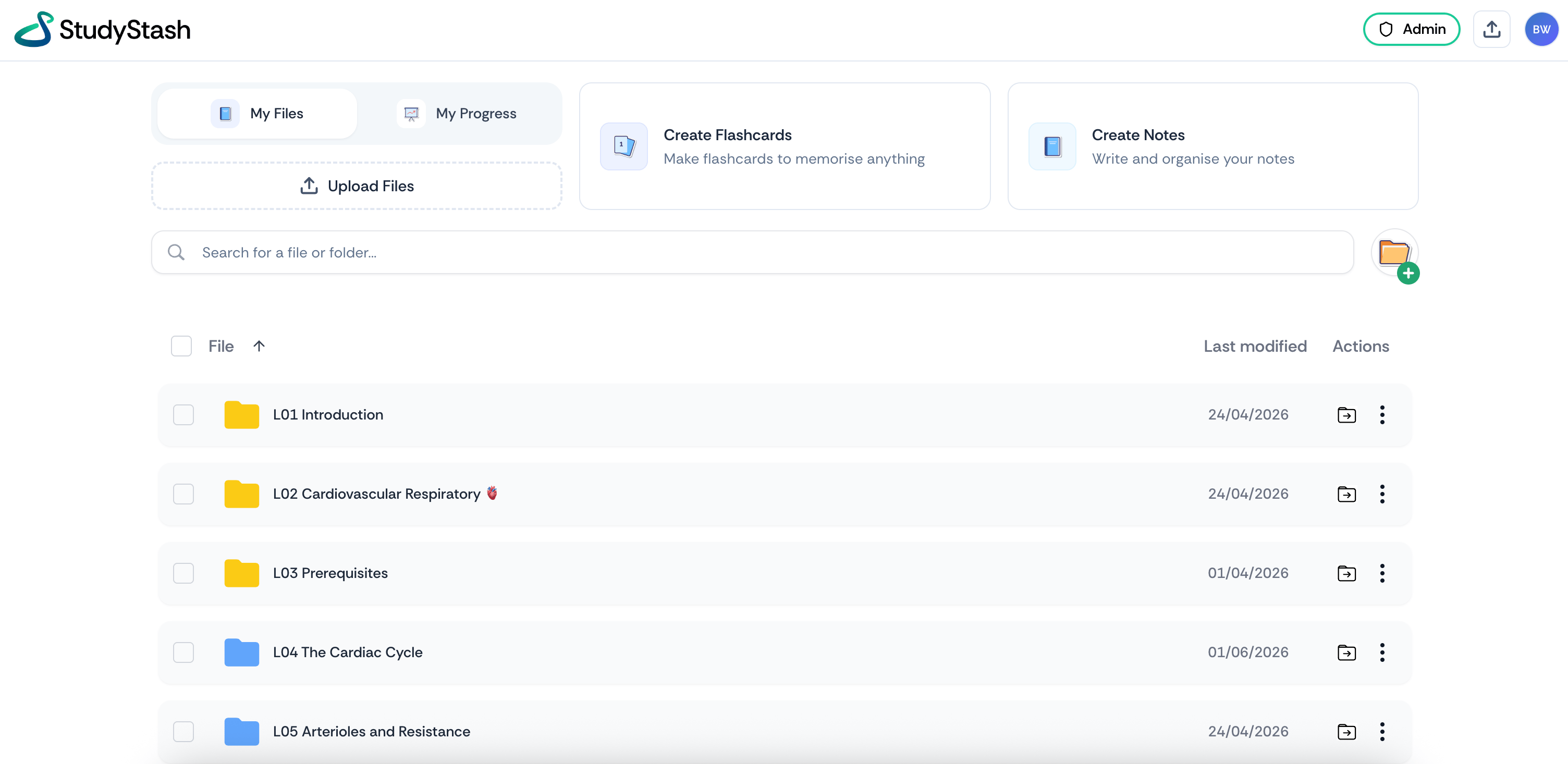
Nothing changes. Your flashcards, notes, practice tests and podcasts stay in your account, along with the course materials your lecturer uploaded.

<Frame className="ss-screenshot" caption={"**Figure 1.** The \"My Stash\" home page, where students find their materials"}>
  <img loading="lazy" src="https://mintcdn.com/studystash-help/FFz54l9hIeIDPaHl/assets/189005826/189071363-image-20260903-113802.png?fit=max&auto=format&n=FFz54l9hIeIDPaHl&q=85&s=bf43ff8794fc917c4b84cdd0b3c71093" alt="The &#x22;My Stash&#x22; home page, where students find their materials" width="3008" height="1466" data-path="assets/189005826/189071363-image-20260903-113802.png" />
</Frame>

## How to request an export

<table>
  <tbody>
    <tr>
      <th>
        <p><strong>Step</strong></p>
      </th>

      <th>
        <p><strong>What to do</strong></p>
      </th>
    </tr>

    <tr>
      <td>
        <p>1</p>
      </td>

      <td>
        <p>Email <a href="mailto:support@studystash.com"><strong>[support@studystash.com](mailto:support@studystash.com)</strong></a></p>
      </td>
    </tr>

    <tr>
      <td>
        <p>2</p>
      </td>

      <td>
        <p>Use the subject line <code>\[your email address, request to download content]</code></p>
      </td>
    </tr>

    <tr>
      <td>
        <p>3</p>
      </td>

      <td>
        <p>Send it from the address linked to your StudyStash account, so we can verify the request</p>
      </td>
    </tr>

    <tr>
      <td>
        <p>4</p>
      </td>

      <td>
        <p>We'll come back to you with your export</p>
      </td>
    </tr>
  </tbody>
</table>

For example: `[j.smith@university.edu, request to download content]`

## Can I download my study notes myself?

You cannot download course content from StudyStash directly. Your lecturers' materials and the study assets created from them stay inside the platform, where you can read, revise and test yourself on them as often as you like. Exporting exists only so you don't lose your work when your account closes.

<Tip>
  If you have questions about retention periods, data processing, or your institution's specific configuration, our Trust Centre has the detail: [trust.studystash.com](https://trust.studystash.com)
</Tip>


This documentation is built and hosted on [Mintlify](https://mintlify.com), a developer documentation platform.