> ## Documentation Index
> Fetch the complete documentation index at: https://help2.studystash.com/llms.txt
> Use this file to discover all available pages before exploring further.
# Students CSV template for uploading data into the Admin Dashboard
> To upload both students and lecturers, simply download the CSV template below, populate it with the required details, and then upload it to the Admin Dashboard.
Students and lecturers must be uploaded separately, but the process is the same.
Step 1: Go to StudyStash [**Admin Dashboard**](https://studystash.com/admin)
Step 2: Click ‘**Add Course**’
Step 3: Click ‘**Get Started**’
Step 4: Click ‘**Download CSV Templates**’ or download them here: student\_template.csv lecturers\_template.csv
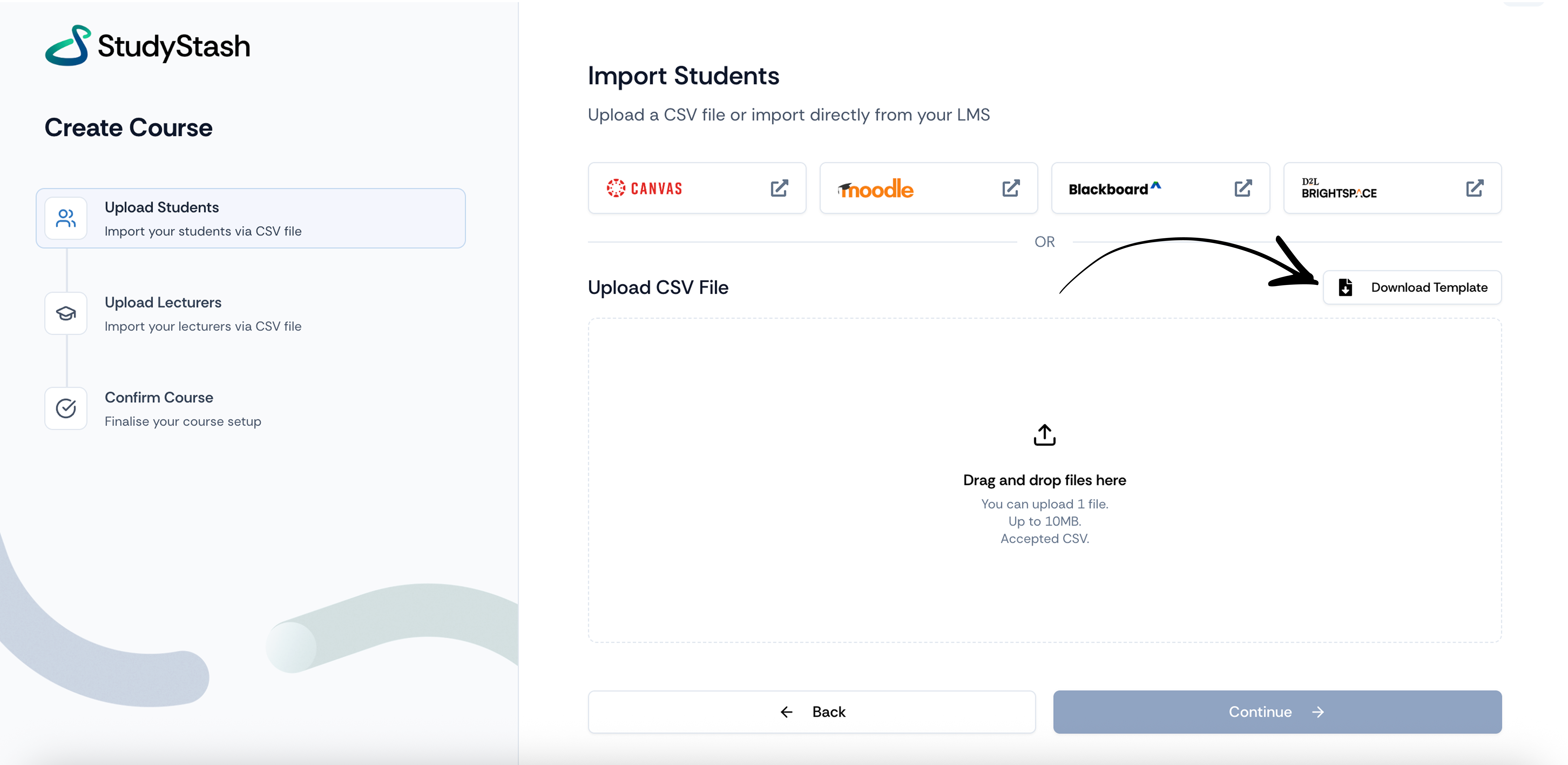 Step 5: Fill in the fields ‘**First Name**’, ‘**Surname**’ and ‘**Email Address**’ for each individual user.
Step 6: Drag & drop the file or click ‘**Drag and drop files here**’
Step 7: Repeat the process for the lecturers data, but include the ‘**Module Name**’ field.
## You’re done!
**Remember** - Uploading the teacher’s data automatically kicks off StudyStash’s automatic Insight Emails.
Step 5: Fill in the fields ‘**First Name**’, ‘**Surname**’ and ‘**Email Address**’ for each individual user.
Step 6: Drag & drop the file or click ‘**Drag and drop files here**’
Step 7: Repeat the process for the lecturers data, but include the ‘**Module Name**’ field.
## You’re done!
**Remember** - Uploading the teacher’s data automatically kicks off StudyStash’s automatic Insight Emails.
If you’d like help with the upload, just contact [support@studystash.com](mailto:support@studystash.com) or your Customer Success Manager and we can do it for you.
This documentation is built and hosted on [Mintlify](https://mintlify.com), a developer documentation platform.