> ## Documentation Index
> Fetch the complete documentation index at: https://help2.studystash.com/llms.txt
> Use this file to discover all available pages before exploring further.
# What is the Admin Dashboard?
> The Admin Dashboard lets administrators upload and manage student and lecturer data, set up weekly lecturer insight emails, and manage notifications.
It can be accessed here: [**Admin Dashboard**](https://studystash.com/admin).
**Who is the Admin Dashboard for?**
* Project leads
* Faculty responsible for uploading data
* Faculty responsible for data reporting
**Who is the Admin Dashboard NOT for?**
* Lecturers / teaching faculty
**Administrator Responsibilities:**
* Overseeing user management
* System configuration
* Lecturer/student communications
**What does the Admin Dashboard look like?**
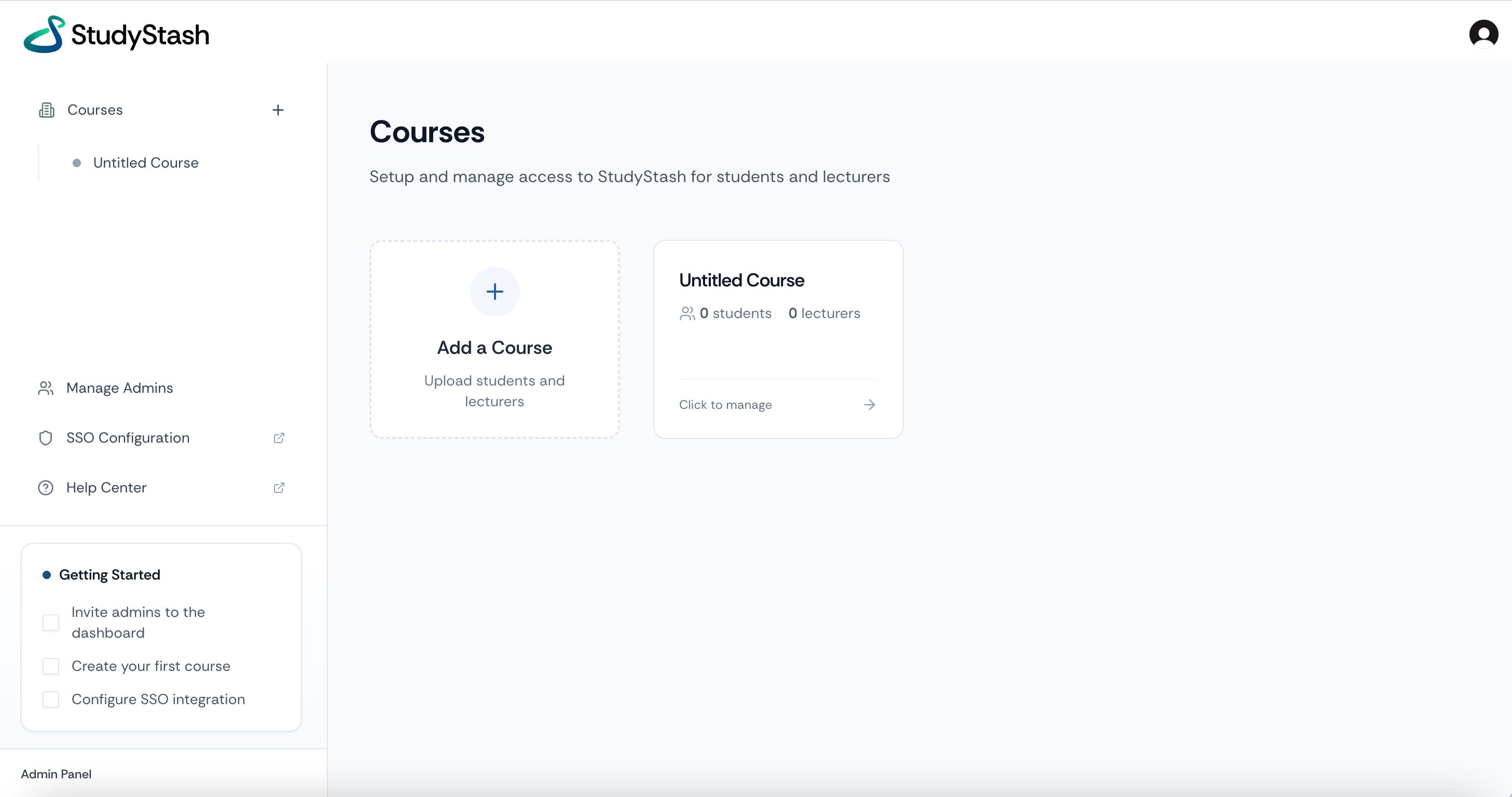 The **Admin Dashboard** contains sensitive student and faculty data - do not share your account details or password. Speak with your Customer Success Manager or email [support@studystash.com](mailto:support@studystash.com) for help setting up your Admin Dashboard.
This documentation is built and hosted on [Mintlify](https://mintlify.com), a developer documentation platform.
The **Admin Dashboard** contains sensitive student and faculty data - do not share your account details or password. Speak with your Customer Success Manager or email [support@studystash.com](mailto:support@studystash.com) for help setting up your Admin Dashboard.
This documentation is built and hosted on [Mintlify](https://mintlify.com), a developer documentation platform.